

Reading a 50-page report, research paper, business document, or study material can take hours. The good news is that you don’t always have to read every page from start to finish.
In 2026, AI PDF summarization tools can analyze long documents, extract important points, answer questions, and turn complicated PDFs into easier-to-understand summaries.
But which tool should you use?
Some AI tools are better for students, some are designed for research, while others are useful for business documents, contracts, reports, and multiple PDFs.
In this guide, we’ll look at the best AI tools for PDF summarization in 2026, what makes each one useful, and which tool is best for different situations.
Quick Comparison: Best AI PDF Summarizers in 2026
| AI Tool | Best For | PDF Chat | Multiple PDFs | Citations | Free Option |
|---|---|---|---|---|---|
| NotebookLM | Research & study | Yes | Yes | Yes | Yes |
| Adobe Acrobat AI Assistant | Professional PDFs | Yes | Yes | Yes | Limited |
| ChatPDF | Quick PDF summaries | Yes | Limited | Yes | Yes |
| Claude | Long documents | Yes | Yes | Yes | Yes |
| Humata | Document analysis | Yes | Yes | Yes | Limited |
| AskYourPDF | Simple PDF Q&A | Yes | Yes | Yes | Yes |
| Smallpdf AI | Everyday PDF tasks | Yes | Limited | — | Limited |
| PDF.ai | PDF chat & extraction | Yes | Yes | Yes | Yes |
| SciSpace | Research papers | Yes | Yes | Yes | Limited |
| UPDF AI | PDF editing + AI | Yes | Yes | — | Limited |
1. Google NotebookLM — Best Overall for Research and Study
Best for: Students, researchers, writers, and people working with multiple sources.
NotebookLM is one of the most useful AI tools for understanding documents in 2026. You can upload PDFs along with other supported sources and ask questions about the material.
Instead of simply asking for a generic summary, you can ask something more specific, such as:
“Summarize the main findings of this research paper.”
Or:
“What are the three most important conclusions in this PDF?”
NotebookLM uses your uploaded sources to answer questions and provides citations so you can check where the information came from. Google says NotebookLM supports PDFs, Google Docs, Slides, text files, web URLs, audio and several other source types.
Why NotebookLM stands out
- Summarizes PDFs
- Lets you chat with your documents
- Supports multiple sources
- Provides source-grounded answers
- Useful for research and studying
- Can create study guides and other formats
- Available with a free option
Best use case
If you’re researching a topic and have several PDFs, NotebookLM is one of the best choices in 2026.
2. Adobe Acrobat AI Assistant — Best for Professional PDFs
Best for: Business users, professionals, reports, contracts, and everyday PDF work.
Adobe Acrobat has moved beyond traditional PDF editing with its AI Assistant.
Its generative summary feature can create an overview of a PDF, organize the summary around sections, and provide links back to the relevant content. You can also ask follow-up questions about the document.
This is especially useful if you already use Acrobat for editing, signing, organizing, or sharing PDFs.
Key features
- AI-generated PDF summaries
- Ask questions about documents
- Source references
- Follow-up questions
- PDF Spaces for working with multiple files
- PDF editing and organization
- Available on desktop, web, and mobile
Adobe also offers AI-powered PDF functionality through its online PDF AI experience, where users can upload a PDF and ask questions or request summaries.
Best use case
Choose Acrobat AI Assistant if you want PDF editing and AI summarization in the same ecosystem.
3. ChatPDF — Best for Quick PDF Summaries
Best for: People who want a simple way to chat with a PDF.
ChatPDF focuses on one straightforward idea: upload your PDF and start asking questions.
You don’t need to understand complicated AI workflows. After uploading a document, you can ask questions about its contents or request a summary.
For example:
- “Summarize this PDF in 10 bullet points.”
- “Explain this document in simple English.”
- “What are the main conclusions?”
- “Which pages discuss the methodology?”
- “Give me an executive summary.”
Why people like it
The biggest advantage of dedicated PDF chat tools is simplicity. You upload a document, ask a question, and get an answer without building a complicated workflow.
Best use case
ChatPDF is a good option when you want to quickly understand a single PDF without spending time learning a new tool.
4. Claude — Best for Long and Complex Documents
Best for: Long reports, detailed analysis, research, and complex documents.
Claude is a general-purpose AI assistant rather than a dedicated PDF summarizer, but it can be useful when you need more than a basic summary.
Instead of simply asking:
“Summarize this PDF.”
You can give it a more detailed instruction:
“Read this report and summarize the key findings, risks, recommendations, and statistics. Separate the answer into four sections.”
This type of structured prompting can be particularly useful when you’re working with lengthy or complicated documents.
Best use case
Claude makes sense when you need summarization plus deeper reasoning or analysis.
5. Humata — Best for Asking Questions Across Documents
Best for: Researchers, professionals, and users who work with multiple documents.
Humata is designed around interacting with documents using AI.
Instead of reading every page manually, you can ask questions and let the AI identify relevant information from your uploaded files.
You can use it for tasks such as:
- Summarizing reports
- Finding specific information
- Comparing documents
- Extracting important details
- Asking questions about research papers
Best use case
Humata can be useful when your workflow involves multiple PDFs and repeated questions about their contents.
6. AskYourPDF — Best for Simple PDF Q&A
Best for: Beginners and casual users.
AskYourPDF lets you interact with uploaded documents using natural-language questions.
You can ask the AI to:
- Summarize a PDF
- Explain difficult sections
- Find specific information
- Extract important points
- Answer questions about the document
This is particularly useful if you don’t want to manually search through dozens or hundreds of pages.
Best use case
Choose AskYourPDF when you want a simple PDF question-and-answer workflow.
7. Smallpdf AI — Best for Everyday PDF Work
Best for: Users who already use online PDF tools.
Smallpdf is known for common PDF tasks such as compression, conversion, merging, and editing. Its AI features add another layer by helping users work with document content.
This makes it useful if your PDF workflow involves more than summarization.
For example, you might:
- Upload a PDF.
- Summarize it.
- Extract important information.
- Convert or edit the document.
- Share the final file.
Best use case
Smallpdf is a practical choice if you want PDF utilities and AI features together.
8. PDF.ai — Best for AI-Powered PDF Conversations
Best for: Users who want to chat with documents and extract information.
PDF.ai takes a conversational approach to PDFs.
Instead of manually searching for information, you can ask questions in normal language.
For example:
“What is the main objective of this report?”
“List all the recommendations mentioned in the document.”
“Summarize the conclusion in simple language.”
This can make long PDFs significantly easier to navigate.
Best use case
PDF.ai is worth considering if your priority is asking questions and extracting information from PDFs.
9. SciSpace — Best for Academic Research Papers
Best for: Students, academics, and researchers.
Academic papers can be difficult to understand because they often contain technical terminology, complicated methodology, tables, and research findings.
SciSpace is designed around academic research workflows and can help users understand research papers more easily.
You can use AI assistance to:
- Understand research papers
- Summarize sections
- Explain complicated concepts
- Ask questions about papers
- Extract important information
Best use case
If most of your PDFs are scientific or academic papers, a research-focused tool like SciSpace can be more useful than a basic PDF summarizer.
10. UPDF AI — Best for PDF Editing + AI
Best for: Users who want AI features alongside traditional PDF editing.
UPDF combines PDF management and editing features with AI capabilities.
That can be useful if your workflow looks something like:
Read → Summarize → Analyze → Edit → Organize
Rather than switching between several different applications, you can perform multiple PDF-related tasks within one platform.
Best use case
UPDF AI is worth considering if you want PDF editing and AI-powered document analysis in one application.
Which AI PDF Summarizer Is Best in 2026?
There isn’t one perfect tool for everyone.
The best option depends on what you’re actually trying to do.
Best overall: NotebookLM
For research, studying, and working with multiple sources, NotebookLM is one of the strongest choices. It supports PDFs and other source types and provides source-grounded answers with citations.
Best for professional PDF workflows: Adobe Acrobat AI Assistant
If you already work with PDFs regularly and also need editing, organizing, and signing features, Adobe Acrobat AI Assistant is a strong all-in-one option. Its AI can generate summaries and answer questions with references to source content.
Best for quick PDF chatting: ChatPDF
If you simply want to upload a PDF and start asking questions, ChatPDF is a convenient choice.
Best for academic papers: SciSpace
For research papers and academic documents, a research-focused platform can make technical content easier to understand.
Best for deeper analysis: Claude
If you need to go beyond summarization and analyze a long document, Claude can be useful because you can give it detailed instructions about how you want the analysis structured.
How to Choose the Best AI PDF Summarizer
Before choosing a tool, don’t look only at whether it can “summarize PDFs.”
Consider these factors instead.
1. Summary Quality
A good AI summarizer should identify the important ideas rather than simply shortening every paragraph.
Ask yourself:
- Does it capture the main argument?
- Does it preserve important numbers?
- Does it understand context?
- Does it avoid irrelevant information?
2. Source Citations
Citations are particularly important for research, business, legal, and academic documents.
A tool that shows where an answer came from makes it easier to verify the information.
NotebookLM and Adobe Acrobat AI Assistant both emphasize source references or citations in their document workflows.
3. Multiple PDF Support
If you regularly compare reports or research papers, choose a tool that can work with multiple documents.
For example, you might upload:
- Research Paper A
- Research Paper B
- Research Paper C
Then ask:
“What are the main differences between these three papers?”
That is much more useful than summarizing each PDF separately.
4. OCR Support
Some PDFs are actually scanned images rather than searchable text.
If you frequently work with scanned documents, check whether the tool can recognize text from those pages.
5. Privacy
Be careful when uploading confidential documents.
Don’t upload sensitive business information, private financial documents, personal records, or confidential contracts to an AI service unless you’re comfortable with its data-handling practices and have permission to do so.
6. Free vs Paid Limits
Many AI PDF tools offer free access with limitations.
The limits can involve:
- Number of PDFs
- File size
- Number of questions
- Daily usage
- Advanced AI features
- Multiple-document analysis
So test the free version before paying for a subscription.
How to Summarize a PDF Using AI
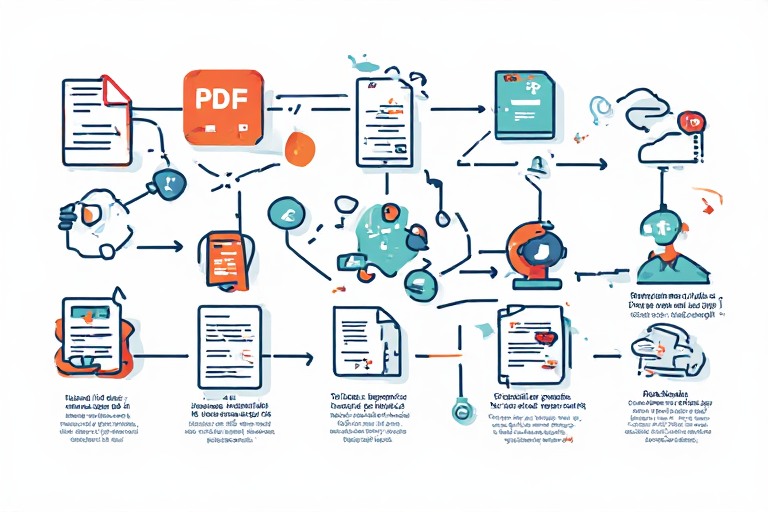
The basic process is surprisingly simple.
Step 1: Choose an AI PDF tool
Pick a tool such as NotebookLM, Acrobat AI Assistant, or a dedicated PDF chat service.
Step 2: Upload your PDF
Add the document you want to analyze.
Step 3: Ask for a specific summary
Don’t always use a generic prompt like:
“Summarize this PDF.”
Instead, tell the AI exactly what you need.
For example:
“Summarize this PDF in 10 bullet points. Include the main argument, important statistics, key findings, limitations, and final conclusion. Don’t add information that isn’t present in the document.”
Step 4: Verify important information
AI summaries can still contain mistakes.
For important documents, check the original PDF, especially for:
- Numbers
- Dates
- Names
- Legal statements
- Scientific findings
- Financial information
Step 5: Ask follow-up questions
Once you have the summary, you can ask:
“Explain point 4 in simple language.”
or:
“Which page supports this conclusion?”
This is where AI PDF tools become more useful than traditional PDF search.
Best Prompt for Summarizing a PDF With AI
Here’s a prompt you can use with almost any AI PDF tool:
“Analyze this PDF carefully and create a clear, accurate summary. Start with a short executive summary, followed by the 10 most important points. Include important facts, statistics, conclusions, recommendations, and limitations. Keep the information grounded in the PDF and do not invent information. Where possible, mention the relevant page or section for important claims. Explain technical terms in simple language.”
For students, try:
“Summarize this PDF as study notes. Identify the key concepts, definitions, important examples, formulas, and likely exam topics. Organize the information with clear headings and bullet points. Keep the explanation simple but don’t remove important details.”
For business reports:
“Analyze this business report and provide an executive summary. Highlight key findings, financial or performance metrics, risks, opportunities, recommendations, and action items. Separate facts from recommendations and reference the relevant sections of the document.”
Are AI PDF Summarizers Accurate?
AI PDF summarizers can save a huge amount of time, but they aren’t perfect.
The quality depends on several factors, including the document structure, scanned pages, tables, charts, technical language, and the AI model being used.
For normal documents, an AI summary can be an excellent starting point. But for high-stakes information, you should always verify important claims against the original PDF.
A good workflow is:
AI summary → Check citations → Open original section → Verify important information
This gives you the speed of AI without blindly trusting every generated answer.
AI Tools for YouTube Thumbnails: 10 Best AI Thumbnail Makers in 2026
Final Verdict
AI PDF summarization has become much more useful in 2026. Instead of spending an hour reading a long report just to find a few important points, you can use AI to create an initial summary and then focus your attention on the sections that actually matter.

For most people, NotebookLM is an excellent starting point, especially for studying and research. Adobe Acrobat AI Assistant is a strong choice for professional PDF workflows, while ChatPDF is convenient when you simply want to upload a document and ask questions. Other tools such as Claude, Humata, AskYourPDF, SciSpace, PDF.ai, Smallpdf, and UPDF AI can be useful depending on your specific workflow.
The important thing is not to choose a tool simply because it claims to be the “best AI PDF summarizer.” Choose the one that handles your document type, file size, citation needs, privacy requirements, and workflow best.
Frequently Asked Questions
What is the best AI tool for summarizing PDFs in 2026?
NotebookLM is one of the strongest choices for general PDF summarization, particularly for research and study. Adobe Acrobat AI Assistant is another strong option for users who need professional PDF features alongside AI summarization.
Can AI summarize a 100-page PDF?
Yes. Many modern AI document tools can process long PDFs, although the exact file size, page, word, or usage limits depend on the platform and plan.
Is NotebookLM good for PDF summarization?
Yes. NotebookLM supports PDF uploads and can generate summaries and answer questions based on uploaded sources. It also provides citations that help users verify information.
Can ChatGPT summarize a PDF?
Yes, when PDF/file uploads are available in your ChatGPT experience, you can provide a PDF and ask for a summary, key points, explanations, or specific information.
Are AI PDF summaries reliable?
They can be very useful, but they shouldn’t be treated as automatically perfect. Always verify important facts, numbers, dates, legal information, and scientific claims against the original document.
What is the best free AI PDF summarizer?
The best free option depends on current usage limits and the type of document you’re working with. NotebookLM is a strong starting point because Google offers access to its core notebook experience and supports PDF sources.