

Creating a good YouTube thumbnail can sometimes take almost as long as editing the video itself.
You need to choose the right image, remove backgrounds, add text, adjust colors, create a clear focal point, and make sure everything still looks good when the thumbnail is displayed at a small size.
That’s where AI tools for YouTube thumbnails can make the process much easier.
Modern AI thumbnail makers can generate designs from a video idea, prompt, image, or even a YouTube URL. Some can remove backgrounds, generate visuals, add text, suggest layouts, and help you create multiple thumbnail variations.
But here’s the important part: AI can create a thumbnail quickly, but it doesn’t automatically create a great thumbnail.
The best results come from combining AI generation with a clear video idea, strong visual hierarchy, readable text, and human editing.
In this guide, we’ll look at the best AI tools for YouTube thumbnails, what each tool is good for, how to create a thumbnail with AI, and the mistakes you should avoid.
What Are AI Tools for YouTube Thumbnails?
AI tools for YouTube thumbnails are software platforms that use artificial intelligence to help create or improve thumbnail images for YouTube videos.
Instead of designing everything manually, you can give the tool a prompt, upload an image, provide a video, or sometimes paste a YouTube URL.
Depending on the platform, AI can help with:
- Generating thumbnail concepts
- Creating background images
- Removing backgrounds
- Improving photos
- Adding or editing objects
- Generating text ideas
- Creating thumbnail layouts
- Matching a visual style
- Creating multiple variations
- Editing an existing thumbnail
Some tools are general graphic design platforms with AI features, while others are built specifically around YouTube creators.
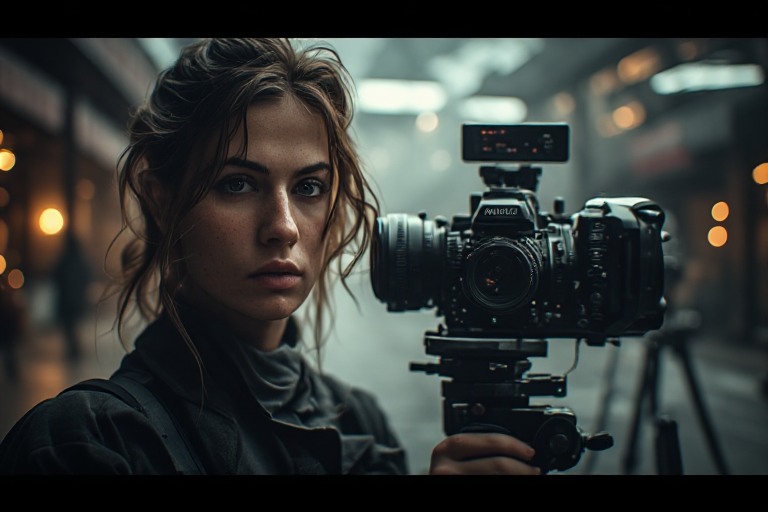
Why Are YouTube Thumbnails Important?
A thumbnail is one of the first things viewers see when they encounter a video.
A strong thumbnail should quickly communicate what the video is about and give viewers a reason to stop scrolling.
However, a thumbnail shouldn’t promise something the video doesn’t actually deliver.
Research into misleading YouTube thumbnails has highlighted the connection between clickbait-style thumbnails and viewer trust. A thumbnail can attract attention, but misleading visual claims can ultimately hurt the viewer experience.
The goal should be:
Attention + curiosity + accuracy.
Not simply:
Click at any cost.
Best AI Tools for YouTube Thumbnails
There isn’t one perfect AI thumbnail maker for every creator.
Some tools are better for fast AI generation, while others are better for manual design and branding.
Here are some of the most useful options to consider.
1. vidIQ AI Thumbnail Maker
vidIQ AI YouTube Thumbnail Maker
vidIQ has built a thumbnail workflow specifically around YouTube creators.
According to its current product page, you can start with a description, YouTube URL, or video file. The tool can analyze the source, generate a thumbnail concept, and let you refine the result with additional prompts.
That makes it different from a traditional design tool where you start with a blank canvas.
Best for:
- YouTube creators
- Fast thumbnail generation
- Thumbnail ideas from video content
- AI-assisted editing
- Creators who don’t want to start from scratch
vidIQ also emphasizes thumbnail elements such as contrast, mobile readability, expressive faces, and clean layouts.
My take
If your main goal is specifically YouTube thumbnail creation, vidIQ is one of the first tools I’d test.
2. Canva
Canva is a strong option if you want a combination of AI features and traditional design controls.
Its YouTube thumbnail workflow includes templates, drag-and-drop editing, uploaded images, and AI-powered features through Canva’s Magic Studio. Canva currently lists tools such as Magic Edit, Magic Grab, Magic Expand, Dream Lab, and Magic Media.
Best for:
- Beginners
- YouTubers
- Branding
- Custom thumbnail designs
- Templates
- Manual editing after AI generation
The biggest advantage is flexibility.
You don’t have to accept whatever the AI creates. You can generate an image, then move elements around, change fonts, add your logo, and adjust the design manually.
3. Adobe Express
Adobe Express YouTube Thumbnail Maker
Adobe Express provides a browser-based YouTube thumbnail workflow with templates, editing tools, and generative AI features.
Adobe currently highlights AI-assisted creation, customizable templates, and tools that can generate or modify content from text prompts.
Best for:
- Beginners
- YouTubers
- Branded thumbnails
- Quick editing
- AI-generated visuals
- Creators already using Adobe products
One useful feature is the ability to maintain consistent branding with logos, fonts, and colors.
4. ChatGPT Image Generation
AI image generation can also be useful for creating the visual foundation of a YouTube thumbnail.
You can describe a scene, character, product, background, or concept and then use the generated image inside your thumbnail design.
For example:
Create a dramatic YouTube thumbnail image showing a laptop displaying an AI tool, surprised content creator in the foreground, high contrast lighting, clean background, strong visual separation, cinematic photography, 16:9 composition.
You can then bring the generated image into Canva, Adobe Express, Photoshop, or another editor and add the final text and branding.
Best for:
- Custom visual concepts
- Unique thumbnail backgrounds
- AI-generated scenes
- Creative channels
- Tech and educational content
The key is to treat the AI-generated image as part of the thumbnail rather than assuming the raw image is automatically the finished thumbnail.
5. Adobe Photoshop with Generative AI
Photoshop remains useful for creators who want detailed control.
AI features can speed up tasks such as:
- Removing objects
- Extending backgrounds
- Generating visual elements
- Editing images
- Creating composites
Best for:
- Professional creators
- Detailed thumbnail editing
- Advanced compositions
- Consistent channel branding
The learning curve is higher than Canva or simple AI thumbnail generators, but the amount of control is also much greater.
6. Fotor
Fotor is another online design platform that combines AI image-generation and editing features with thumbnail creation.
It can be useful when you want to generate or modify visual assets without using a more complicated professional editor.
Best for:
- Beginners
- AI image editing
- Quick thumbnail concepts
- Social media creators
7. Picsart
Picsart combines image editing with AI-powered creative tools.
It can be useful for creators who want to remove backgrounds, add effects, manipulate images, and create visually bold designs.
Best for:
- Mobile creators
- Social media content
- Creative thumbnails
- Photo editing
8. Leonardo AI
Leonardo AI can be useful when you need custom generated visuals for a thumbnail rather than a traditional template.
For example, you could create:
- Fantasy characters
- Gaming scenes
- Futuristic environments
- Product concepts
- Cinematic backgrounds
- Stylized illustrations
You would normally generate the visual first and then finish the thumbnail in an image editor.
Best for:
- Gaming channels
- Creative channels
- AI art
- Fantasy content
- Custom visual concepts
9. Ideogram
Ideogram is particularly interesting when the image itself needs strong typography or designed text elements.
This can be useful for thumbnail concepts where words are part of the visual composition.
However, you should still carefully check generated text for spelling and accuracy before publishing.
Best for:
- Text-heavy concepts
- Poster-style thumbnails
- Creative designs
- AI-generated typography
10. Simplified
Simplified provides AI-assisted graphic design and content creation features that can also be used for social media and YouTube graphics.
It’s useful if you want to combine AI generation with a broader content workflow.
Best for:
- Social media creators
- YouTube graphics
- Marketing teams
- Quick designs
AI YouTube Thumbnail Tools Comparison
| Tool | Best For | AI Generation | Manual Editing | Beginner Friendly |
|---|---|---|---|---|
| vidIQ | YouTube-focused thumbnails | Yes | Yes | High |
| Canva | Templates + AI | Yes | Yes | Very High |
| Adobe Express | AI + design | Yes | Yes | High |
| ChatGPT image generation | Custom visuals | Yes | Limited | High |
| Photoshop | Advanced editing | Yes | Yes | Medium |
| Fotor | Quick AI designs | Yes | Yes | High |
| Picsart | Creative/mobile editing | Yes | Yes | High |
| Leonardo AI | Custom AI visuals | Yes | Limited | Medium |
| Ideogram | Text-focused visuals | Yes | Limited | High |
| Simplified | Social content | Yes | Yes | High |
Features, pricing, credits, and AI capabilities can change over time, so check the current official product pages before choosing a paid plan.
Which AI Tool Is Best for YouTube Thumbnails?
The answer depends on your workflow.
Best AI Tool Specifically for YouTube
vidIQ is worth trying if you want a YouTube-focused workflow that can start from your video, URL, or idea.
Best for Beginners
Canva is a strong choice because you can combine AI tools with templates and simple drag-and-drop editing.
Best for Adobe Users
Adobe Express makes sense if you already use Adobe’s ecosystem and want templates plus generative AI.
Best for Advanced Editing
Photoshop gives you much more control over individual elements and complex compositions.
Best for Custom AI Images
An AI image generator such as ChatGPT image generation, Leonardo AI, or Ideogram can be useful when you want to create a unique visual instead of starting with a stock photo.
How to Create a YouTube Thumbnail With AI
You don’t need to be a professional designer to start.
Step 1: Start With Your Video Idea
Before opening an AI tool, identify the main idea of your video.
For example:
Video topic:
“10 AI Tools Every Student Should Know”
The thumbnail shouldn’t try to explain all ten tools.
Instead, identify the strongest visual hook.
For example:
Visual idea:
A student looking surprised while several AI tool icons appear around a laptop.
Step 2: Write a Thumbnail Prompt
A useful AI thumbnail prompt can include:
- Main subject
- Emotion
- Background
- Lighting
- Composition
- Camera angle
- Visual style
- Thumbnail purpose
- Space for text
Example Prompt
Create a high-impact YouTube thumbnail for a video about the best AI tools for students. Show a surprised college student looking at a laptop with futuristic AI interfaces around the screen. Use a clean dark background, strong contrast, dramatic lighting, realistic photography, close-up composition, clear focal point, and empty space on the left for bold thumbnail text. YouTube thumbnail style, 16:9.
This gives the image generator much more direction than:
Make an AI thumbnail.
Step 3: Generate Multiple Concepts
Don’t stop after generating one image.
Create several concepts with different:
- Backgrounds
- Expressions
- Camera angles
- Compositions
- Visual hooks
For example:
Version A: Face + laptop
Version B: Product close-up
Version C: Before/after visual
Then compare them.
Step 4: Add Thumbnail Text
AI image generators aren’t always the best place to create your final thumbnail text.
Instead, generate the visual first and add the final text in Canva, Adobe Express, Photoshop, or another editor.
Keep the text short.
For example:
❌ 10 Best AI Tools That Every Student Should Use in 2026
Better:
10 AI TOOLS
or
STUDENTS NEED THESE
The viewer should understand the main idea quickly.
Step 5: Make the Thumbnail Mobile-Friendly
Your thumbnail may look great on a large monitor but become difficult to understand on a phone.
Zoom out and check:
- Can you identify the main subject?
- Is the text readable?
- Is the background too busy?
- Is there one obvious focal point?
- Does the image still make sense when small?
vidIQ’s current thumbnail guidance also emphasizes mobile-readable text, contrast, expressive faces, and clean layouts.
Step 6: Export at the Correct Size
For standard YouTube video thumbnails, YouTube recommends 1280 × 720 pixels, with a minimum width of 640 pixels, a 16:9 aspect ratio, and a file size below 2 MB for videos. YouTube recommends formats such as JPG, GIF, or PNG.
So a simple workflow is:
AI image → Edit → 1280×720 → Compress if necessary → Upload
What Makes a Good YouTube Thumbnail?
A good thumbnail doesn’t need to be complicated.
In fact, adding too many elements can make the design harder to understand.
1. One Main Idea
The viewer should understand the visual concept quickly.
2. Strong Contrast
The subject should stand out from the background.
3. Large, Readable Text
If you use text, make sure it remains readable on a small screen.
4. Clear Facial Expression
When a person is relevant to the video, a clear expression can make the visual more noticeable.
5. Simple Composition
Don’t fill every part of the thumbnail.
Give the main subject room to stand out.
6. Accurate Representation
Don’t create a thumbnail that promises something your video doesn’t contain.
A strong thumbnail gets attention without misleading the viewer.
Should You Put Text on an AI-Generated Thumbnail?
Not always.
Some thumbnails work better with no text at all.
For example, a technology review could use:
Product + dramatic background + reaction
instead of adding five lines of text.
If you do use text, keep it short and make sure it adds information rather than repeating the video title word-for-word.
How Many Words Should a YouTube Thumbnail Have?
There isn’t a universal word limit that guarantees better performance.
But as a practical rule, keep thumbnail text short enough to understand instantly.
Instead of:
THE 10 BEST AI TOOLS THAT CAN HELP YOU SAVE HOURS EVERY WEEK
Try:
SAVE HOURS WITH AI
The title and thumbnail can work together rather than repeating the same sentence.
AI Thumbnail vs Traditional Thumbnail Design
AI doesn’t necessarily replace traditional design tools.
The two approaches work well together.
AI Thumbnail Workflow
Idea → AI image → AI editing → Human review → Final thumbnail
Traditional Workflow
Idea → Photo/stock image → Manual design → Final thumbnail
Hybrid Workflow
For many creators, the hybrid approach is best:
AI generates the visual → Canva/Photoshop edits it → Human chooses the final composition
This gives you speed without losing creative control.
Can AI Automatically Create a Thumbnail From a YouTube Video?
Yes, some tools are designed specifically for this workflow.
vidIQ currently allows creators to start from a video file, YouTube URL, or description and then generate and refine a thumbnail.
This can be useful when you don’t want to manually search through your video for the best frame.
The important part is still reviewing the generated result.
The AI may identify an interesting frame, but you need to decide whether that frame actually communicates the video’s value.
Can AI Create Free YouTube Thumbnails?
Yes.
Several platforms offer free tools, free templates, free credits, or limited free usage.
For example, Canva offers a YouTube thumbnail maker with AI-powered design features, while Adobe Express currently advertises free YouTube thumbnail creation and generative AI features.
However, free plans can have restrictions.
You may encounter:
- Limited AI generations
- Premium templates
- Watermarks
- Limited exports
- Usage credits
- Certain AI features requiring a paid plan
Always check the current plan before relying on a free tool for frequent production.
How to A/B Test YouTube Thumbnails
If your channel has access to YouTube’s Test & Compare feature, you can test different thumbnail variations instead of relying entirely on your personal opinion.
YouTube says its current thumbnail experiments evaluate variations using watch-time share, rather than simply selecting the thumbnail with the highest click-through rate.
That matters because a thumbnail can generate clicks without necessarily producing viewers who continue watching.
A better thumbnail should attract the right viewer and accurately represent the video.
Common AI YouTube Thumbnail Mistakes
1. Making the Thumbnail Too Busy
Adding more images, effects, arrows, icons, and text doesn’t automatically make a thumbnail better.
2. Using Tiny Text
Small text can disappear when the thumbnail is viewed on mobile.
3. Making Unrealistic Promises
Don’t use an AI-generated image that makes the viewer expect something that isn’t in the video.
4. Copying Another Creator’s Thumbnail
You can study successful thumbnail patterns, but don’t simply reproduce another creator’s exact design.
Create a recognizable visual identity for your own channel.
5. Using AI Without Editing
AI-generated images often need human cleanup.
Check:
- Faces
- Hands
- Text
- Logos
- Product details
- Background elements
- Visual artifacts
6. Using the Same Template for Every Video
Consistency is useful, but every video should still have its own visual hook.
Best AI Thumbnail Workflow for YouTubers
Here’s a simple workflow you can use for almost any channel:
Step 1
Write your video title.
Step 2
Identify the main promise of the video.
Step 3
Create 3–5 thumbnail concepts with AI.
Step 4
Choose the strongest visual concept.
Step 5
Edit the image in Canva, Adobe Express, Photoshop, or another editor.
Step 6
Add minimal, readable text if needed.
Step 7
Export at 1280×720.
Step 8
Upload the thumbnail to YouTube.
Step 9
If available, use YouTube’s Test & Compare feature to test variations.
Are AI Tools for YouTube Thumbnails Worth Using?
Yes, especially if you’re a small creator who doesn’t have a designer.
The biggest advantage isn’t that AI automatically creates a viral thumbnail.
It’s that AI can dramatically reduce the time needed to create and test different visual ideas.
You can go from:
Video idea → thumbnail concept → generated image → edited thumbnail
much faster than starting every design from a blank canvas.
But don’t confuse AI-generated with high-performing.
A beautiful thumbnail can still perform poorly if it doesn’t communicate the video’s value.
Frequently Asked Questions
What are the best AI tools for YouTube thumbnails?
Some useful options include vidIQ, Canva, Adobe Express, Photoshop with generative AI, and AI image-generation platforms such as Leonardo AI and Ideogram. The best choice depends on whether you want a YouTube-specific generator, a design editor, or a custom image generator.
What is the best free AI thumbnail maker?
Canva and Adobe Express are good starting points for creators who want free thumbnail creation with AI-assisted features. vidIQ also offers a free-to-try AI thumbnail workflow. Free features and limits can change, so check the current plans before using a tool regularly.
What size should a YouTube thumbnail be?
YouTube recommends 1280×720 pixels, a minimum width of 640 pixels, a 16:9 aspect ratio, and a file size below 2 MB for video thumbnails.
Can AI make a thumbnail from my YouTube video?
Yes. Some tools can use a video file or YouTube URL as input and generate thumbnail concepts from the content. vidIQ currently supports this workflow.
Can I use AI-generated images for YouTube thumbnails?
AI-generated images can be used as thumbnail assets, but you should make sure you have the necessary rights for any uploaded or referenced material and that the final thumbnail follows YouTube’s policies.
Does a better thumbnail guarantee more views?
No.
A thumbnail can influence whether someone clicks, but video topic, title, audience interest, retention, satisfaction, competition, and many other factors affect performance.
The goal should be to create a thumbnail that accurately communicates the value of the video and attracts the right audience.
Should I use AI-generated text inside the image?
It’s often better to generate the visual with AI and add the final thumbnail text using a design editor. This gives you more control over spelling, font, placement, and readability.
Can AI create viral YouTube thumbnails?
No tool can guarantee a viral thumbnail.
AI can help generate ideas and attractive designs, but performance depends on the video’s topic, audience, title-thumbnail combination, and how viewers respond.
Final Thoughts
AI tools for YouTube thumbnails can make thumbnail creation much faster, especially for creators who don’t have professional graphic-design skills.
If you want a YouTube-focused workflow, vidIQ is worth exploring. If you want templates and easy customization, Canva is a strong option. Adobe Express is another useful choice for AI-assisted design and branded thumbnails.
But don’t expect AI to magically create a high-performing thumbnail with one click.
The best workflow is:
Good video idea → Strong thumbnail concept → AI generation → Human editing → Testing
Keep the design simple, make the main subject obvious, use readable text when necessary, and make sure the thumbnail accurately represents your video.
Most importantly, test