

Artificial intelligence is changing the way people work, learn and build businesses.
From software development and marketing to finance, education and design, AI tools are becoming part of everyday workflows. At the same time, companies are looking for professionals who can do more than simply use an AI chatbot.
They want people who understand how to apply AI to solve real problems.
That’s why learning the right AI skills in 2026 can be a smart move for students, freshers and working professionals.
And you don’t necessarily need to become a machine learning researcher.
The better approach is to combine AI with the skills you already have.
In this guide, we’ll look at 10 AI skills worth learning in 2026, why they’re useful and who should learn them.
Why Are AI Skills Important in 2026?
AI is moving beyond experimentation.
Businesses are increasingly using AI for:
- Content creation
- Software development
- Customer support
- Data analysis
- Marketing
- Research
- Automation
- Product development
- Business operations
This means AI knowledge can be useful even if your job title doesn’t contain the word “AI.”
For example:
Developer + AI
Marketer + AI
Designer + AI
Accountant + AI
Teacher + AI
Entrepreneur + AI
The combination can be more useful than learning AI in isolation.
1. Generative AI
What is it?
Generative AI refers to AI systems that can create content such as:
- Text
- Images
- Audio
- Video
- Code
- Presentations
Tools based on generative AI are already being used by students, developers, creators and businesses.
What should you learn?
Start with:
- How generative AI works
- Strengths and limitations
- AI model capabilities
- AI-assisted workflows
- Evaluating AI-generated output
Who should learn it?
Everyone.
This is probably the most beginner-friendly AI skill on this list.
2. Prompt Engineering
Prompt engineering means learning how to give AI systems clear instructions to produce useful results.
A weak prompt might be:
Write an article about AI.
A better prompt provides:
- Context
- Audience
- Goal
- Format
- Constraints
- Examples
What should you learn?
- Role prompting
- Structured prompts
- Few-shot prompting
- Context management
- Output formatting
- Prompt testing
- AI response evaluation
But don’t treat prompting as your entire career.
It’s more valuable when combined with another skill.
3. AI Automation
This is one of the most practical AI skills to learn in 2026.
Businesses have thousands of repetitive tasks.
AI automation can help with workflows such as:
Customer Email ↓AI Classification ↓Generate Response ↓Save Information ↓Notify Team
Other examples include:
- Lead qualification
- Email processing
- Document summarization
- Report generation
- Data extraction
- Customer support
What should you learn?
- Workflow automation
- APIs
- Webhooks
- AI integrations
- Business process mapping
- Automation platforms
This skill can be particularly useful for freelancers and small businesses.
4. AI Agents
AI agents go beyond simple chatbot interactions.
An AI agent can potentially:
- Understand a goal
- Break it into tasks
- Use tools
- Retrieve information
- Perform actions
- Evaluate results
For example:
User Goal ↓AI Agent ↓Research ↓Analyze Information ↓Use Tools ↓Create Result
What should you learn?
- Agent workflows
- Tool calling
- Function calling
- Memory
- Retrieval
- Agent evaluation
- Multi-step workflows
This is a more advanced skill, so beginners should learn AI fundamentals first.
5. AI-Assisted Coding
If you’re a developer, this is one of the most useful AI skills to learn.
AI can help developers with:
- Code generation
- Debugging
- Refactoring
- Testing
- Documentation
- Code explanation
- Prototyping
But the important skill isn’t simply asking AI to write code.
You need to understand whether the generated code is:
- Correct
- Secure
- Maintainable
- Efficient
- Testable
Learn:
- AI coding assistants
- Prompting for code
- Code review
- Testing AI-generated code
- Debugging
- API integration
Developer + AI can be a powerful combination.
6. Data Analysis With AI
Companies generate enormous amounts of data.
AI can help professionals analyze that data faster.
You can use AI to:
- Clean datasets
- Identify patterns
- Generate charts
- Summarize reports
- Explore trends
- Write SQL
- Explain results
Skills to combine:
- Excel
- SQL
- Python
- Data visualization
- Statistics
- AI-assisted analysis
This can be useful for analysts, business professionals and students.
7. Retrieval-Augmented Generation (RAG)
RAG is an important technical concept for developers building AI applications.
Instead of relying only on an AI model’s existing knowledge, a RAG system can retrieve relevant information from external sources and use it to generate an answer.
A simplified workflow looks like:
User Question ↓Search Knowledge Base ↓Retrieve Relevant Information ↓AI Model ↓Answer
RAG can be useful for:
- Company knowledge bases
- Document assistants
- Customer support
- Research tools
- PDF question-answering systems
What should developers learn?
- Embeddings
- Vector databases
- Retrieval
- Chunking
- Context management
- LLM APIs
This is a good next step for developers who already understand programming.
8. AI + Cybersecurity
AI is changing cybersecurity in both positive and negative ways.
Security professionals can use AI to help with:
- Threat detection
- Log analysis
- Security monitoring
- Incident investigation
- Vulnerability analysis
At the same time, attackers can also use AI to automate certain activities.
That makes AI knowledge increasingly relevant to cybersecurity professionals.
Useful combination:
Cybersecurity + AI
rather than trying to learn AI without a security foundation.
9. AI Product Development
AI products aren’t built only by AI engineers.
Successful AI products require people who understand:
- Users
- Business problems
- Product design
- AI capabilities
- User experience
- Testing
- Metrics
An AI product manager or founder needs to understand what AI should do—not just what AI can do.
Learn:
- AI product discovery
- AI UX
- Prompt and model evaluation
- User feedback
- AI limitations
- Product analytics
This is particularly useful for entrepreneurs and product professionals.
10. AI Literacy and Responsible AI
This might sound less technical, but it’s extremely important.
AI can produce incorrect, biased or misleading information.
Professionals need to understand:
- AI limitations
- Hallucinations
- Privacy
- Security
- Copyright
- Bias
- Human verification
- Responsible AI use
Knowing when not to trust an AI output is a valuable skill.
Which AI Skill Should You Learn First?
It depends on your background.
| Your Background | Best AI Skill |
|---|---|
| Student | Generative AI + Prompting |
| Fresher | AI tools + Automation |
| Developer | AI APIs + AI-assisted coding |
| Data Analyst | AI + Data Analysis |
| Marketer | Generative AI + Automation |
| Designer | Generative AI + Creative workflows |
| Entrepreneur | AI Automation + AI Agents |
| Product Manager | AI Product Development |
| Cybersecurity Professional | AI + Cybersecurity |
AI Skills Roadmap for Beginners
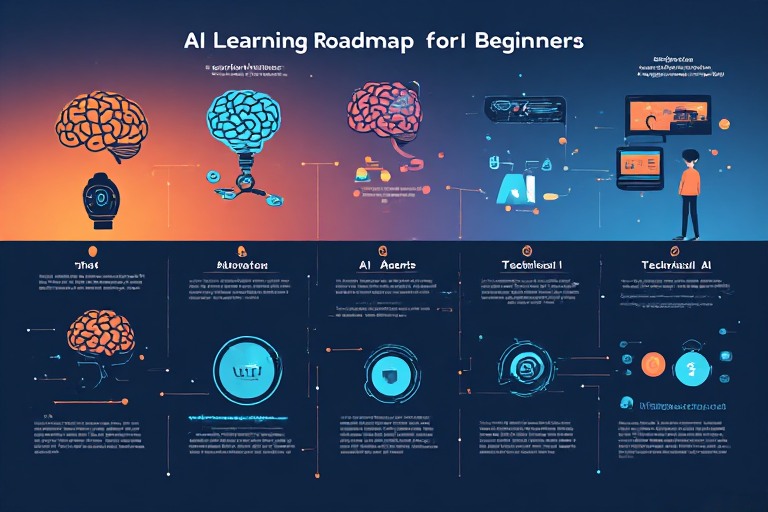
If you’re starting from zero, don’t try to learn all 10 skills simultaneously.
Follow this path:
Stage 1 — AI Fundamentals
Learn:
- AI basics
- Generative AI
- LLMs
- AI limitations
Stage 2 — AI Tools
Use AI for:
- Research
- Writing
- Coding
- Presentations
- Data analysis
Stage 3 — Prompting
Learn how to communicate effectively with AI.
Stage 4 — Automation
Start connecting AI with real workflows.
Stage 5 — Technical AI
If you’re interested in development, move toward:
- APIs
- Python/JavaScript
- RAG
- AI agents
- AI applications
Can You Get a Job by Learning AI?
Learning AI alone doesn’t guarantee a job.
This is an important distinction.
A company usually hires someone to solve a problem—not simply because they know an AI tool.
For example:
❌ I know ChatGPT.
isn’t a strong professional skill by itself.
But:
✅ I can build an AI-powered customer-support workflow that reduces repetitive support work.
is much more valuable.
That’s why you should combine AI with a practical skill.
AI Skills + Existing Skills = Better Career Strategy
Think of your career like this:
Existing Skill + AI =AI-Powered Professional
Examples:
React Developer + AI ↓AI Application DeveloperMarketing + AI ↓AI Marketing SpecialistData Analysis + AI ↓AI Data AnalystDesign + AI ↓AI Creative SpecialistBusiness + AI ↓AI Automation Consultant
This approach is more realistic than trying to start from scratch in an entirely new field.
How Long Does It Take to Learn AI?
You can understand basic AI concepts within a few weeks.
But becoming proficient takes longer.
A practical progression might look like:
2–4 weeks: AI fundamentals
1–2 months: AI tools and prompting
2–4 months: Automation and practical projects
4–6+ months: Technical AI development
The timeline depends heavily on your previous experience and how much time you spend practicing.
5 AI Projects You Can Build for Your Portfolio
If you’re learning AI for a career, don’t rely only on certificates.
Build projects.
1. AI PDF Summarizer
Upload a PDF and generate a summary.
2. AI Resume Analyzer
Compare a resume with a job description.
3. YouTube Summarizer
Turn video transcripts into summaries.
4. AI Research Assistant
Collect and summarize information from multiple sources.
5. AI Customer Support Bot
Answer questions using a company’s knowledge base.
A working project can demonstrate your skills much better than simply saying that you’ve “learned AI.”
PM Modi Independence Day Speech 2026: AI, Semiconductors and Technology Explained
Final Thoughts
AI skills are becoming increasingly relevant across technology and many other industries.
But you don’t need to learn everything.
Start with the fundamentals, learn how to use AI responsibly, and then combine AI with your existing career skills.
For a beginner, Generative AI, prompting and automation are good starting points.
For developers, AI APIs, RAG, AI agents and AI-assisted development can provide a path toward building AI-powered applications.
And for professionals in non-technical fields, combining AI with your existing expertise can be an effective way to stay competitive.
The goal isn’t to become an AI expert overnight.
The goal is to become someone who knows how to use AI to solve real problems.
FAQs
What are the best AI skills to learn in 2026?
Generative AI, AI automation, AI-assisted coding, data analysis, AI agents, RAG and AI product development are among the useful skills to explore in 2026.
Which AI skill is best for beginners?
Start with AI fundamentals, Generative AI and prompting. Once you’re comfortable, move toward automation or a career-specific AI skill.
Can I learn AI without coding?
Yes. You can learn AI tools, prompting, automation and AI-assisted workflows without programming. Coding becomes more important when building technical AI applications.
Which AI skills are useful for developers?
Developers can learn AI APIs, AI-assisted coding, RAG, embeddings, vector databases, AI agents and LLM application development.
Is prompt engineering enough to get an AI job?
Prompting is useful, but relying on prompting alone may not be enough for many AI roles. Combining it with coding, automation, data, business or domain expertise is a stronger strategy.
How can students start learning AI?
Students can start with AI fundamentals, experiment with generative AI tools, learn prompting and build small AI projects. Gradually adding programming or automation can open more technical opportunities.