
YouTube is full of useful information, from coding tutorials and online courses to podcasts, interviews, product reviews, and business presentations. The problem is that some of the most useful videos are also the longest.
A 60-minute video can contain only a handful of points that you actually need.
That’s where AI tools to summarize YouTube videos can help.
Instead of watching an entire video just to find a few useful insights, you can use an AI YouTube video summarizer to extract the main points, create a transcript, identify important sections, and sometimes even answer questions about the video.
In this guide, we’ll compare the best AI tools to summarize YouTube videos in 2026, including their best use cases, important features, limitations, and which tool you should choose.
Quick Answer: Best AI YouTube Summarizers in 2026
If you don’t want to read the complete comparison, here’s the short version:
| AI Tool | Best For | Transcript | Timestamps | Q&A | Free Option |
|---|---|---|---|---|---|
| Gemini Notebook | Research & learning | Yes | Yes | Yes | Yes |
| Eightify | Quick YouTube summaries | Yes | Yes | Limited | Limited |
| Glasp | Summary + notes | Yes | Yes | Yes | Yes |
| Notta | Transcription + summaries | Yes | Yes | — | Yes |
| summarize.tech | Long videos & lectures | — | — | — | Yes |
| NoteGPT | Students & learning | Yes | Yes | Yes | Yes |
| ChatGPT | Custom analysis | Yes* | Depends | Yes | Yes |
| Claude | Deep analysis | Yes* | Depends | Yes | Yes |
| Humata | Research workflows | — | — | Yes | Limited |
| YouTube Summary tools | Quick takeaways | Yes | Often | Varies | Often |
*ChatGPT and Claude are more flexible when you provide the transcript or supported video content rather than treating them as dedicated YouTube URL summarizers.

What Are AI Tools for Summarizing YouTube Videos?
AI YouTube summarizers are tools that use artificial intelligence to turn video content into a shorter, easier-to-read format.
Most tools work by processing the video’s transcript or captions and then using an AI model to identify the important information.
Depending on the tool, you may get:
- A short summary
- Detailed key points
- Full transcript
- Timestamped sections
- Important quotes
- Action items
- Questions and answers
- Chapter summaries
- Study notes
For example, instead of watching a 90-minute programming tutorial, you could ask an AI summarizer:
“Give me the five most important concepts explained in this video and include the timestamps.”
You can then decide whether you need to watch the complete video.
1. Gemini Notebook — Best for Research and Learning
Best for: Students, researchers, and people working with multiple sources.
Google’s NotebookLM was renamed Gemini Notebook in July 2026. The product continues to focus on understanding information from sources and helping users research and learn from them.
One of its useful capabilities is working with public YouTube videos.
You can add a supported YouTube URL to a notebook and ask questions about the content. Google says Gemini Notebook uses the video’s transcript as the imported source, and answers can be grounded in the supplied material with citations.
What makes Gemini Notebook useful?
Instead of simply generating:
“This video talks about AI.”
you can ask:
“Summarize the speaker’s three main arguments.”
or:
“Create study notes from this video.”
You can also combine a YouTube video with other sources, which is particularly useful for research.
Pros
- Excellent for research
- Works with YouTube sources
- Supports questions about the source
- Useful for comparing multiple sources
- Citations help with verification
- Useful for students and researchers
Limitation
YouTube importing depends on the video being public and having captions. Google says only the text transcript is imported; the actual video visuals aren’t imported as a source.
Best for
Research, education, studying, and multi-source analysis.
2. Eightify — Best for Quick YouTube Summaries
Best for: People who want a summary directly while browsing YouTube.
Eightify is designed around quick YouTube summaries. Its browser extension can show a summary within the YouTube experience, so you don’t have to constantly copy a video URL into another website.
According to Eightify, users can generate summaries, customize the focus and length, and use timestamped summaries to jump to specific parts of a video.
Useful features
- One-click summaries
- Key insights
- Timestamped summaries
- Video transcripts
- Browser extension
- Mobile availability
- Quick navigation through long videos
Why I like it
If your main goal is:
Open YouTube → Understand the video quickly → Decide whether to watch it
Eightify is a convenient option.
Best for
Quick summaries of individual YouTube videos.
3. Glasp — Best for Summaries, Transcripts and Notes
Best for: Students, researchers, and people who want to save information from videos.
Glasp is more than a basic YouTube summarizer.
Its YouTube tools can generate summaries and transcripts and let users choose different AI models, including ChatGPT, Claude, Mistral, and Gemini. It also supports timestamps, customizable prompts, multiple languages, and follow-up questions.
One useful feature is the ability to highlight transcript sections and save notes for later.
Useful features
- AI YouTube summaries
- Full transcripts
- Timestamped summaries
- Multiple AI models
- Custom prompts
- Multiple languages
- Highlighting
- Note-taking
- Export options
Best for
People who don’t just want a summary but also want to build a personal knowledge base.
4. Notta — Best for Transcription and Video Summaries
Best for: People who need both transcripts and summaries.
Notta provides a dedicated YouTube video summarizer where you paste a YouTube link, choose the summary language, and generate a transcript and summary.
Its documentation says the tool supports summaries in many languages and provides timestamp-based highlights.
This can be useful for students watching lectures, professionals reviewing presentations, or creators researching long videos.
Notta can help with:
- YouTube transcription
- AI summaries
- Key insights
- Timestamp breakdowns
- Multiple languages
- Audio and video transcription
- Browser-based workflows
Best for
Transcription-heavy workflows and multilingual users.
5. summarize.tech — Best for Long Lectures and Talks
Best for: Lectures, long presentations, public meetings, and educational videos.
summarize.tech has a very simple approach.
Paste a YouTube video URL and the service generates an AI-powered summary.
The platform specifically highlights use cases such as long lectures, live events, government meetings, documentaries, and technology talks.
Why it is useful
You don’t need a complicated workflow.
Just:
- Find the YouTube video.
- Copy the URL.
- Paste it into summarize.tech.
- Read the generated summary.
Best for
People who want a simple tool for long-form videos.
6. NoteGPT — Best for Students and Learning
Best for: Students, learners, and people who regularly watch educational YouTube videos.
NoteGPT focuses on turning online content into notes and summaries.
This type of tool can be useful when you’re watching:
- Programming tutorials
- Online courses
- Business lectures
- Interviews
- Educational videos
- Exam preparation content
Instead of writing notes manually while watching, you can generate an initial summary and then turn it into your own study notes.
Best use case
Students who want to convert long educational videos into readable notes.
7. ChatGPT — Best for Custom Video Analysis
Best for: Users who want highly customized summaries.
ChatGPT isn’t necessarily the simplest dedicated YouTube URL summarizer, but it becomes extremely powerful when you provide the video’s transcript or supported content.
For example, instead of asking for a generic summary, you can ask:
“Analyze this transcript and give me the main argument, supporting evidence, examples, controversial claims, and actionable takeaways.”
You can also specify the format.
For example:
“Turn this YouTube transcript into detailed study notes.”
or:
“Summarize this video in 10 bullet points for someone who has never studied this topic.”
Best for
Custom analysis, rewriting, research, and content workflows.
8. Claude — Best for Deep Transcript Analysis
Best for: Long transcripts and detailed reasoning.
Claude can be useful when your goal goes beyond simply getting a short summary.
For example, if you have a transcript from a two-hour interview, you can ask Claude to identify:
- Main arguments
- Contradictions
- Important claims
- Supporting examples
- Actionable insights
- Unanswered questions
This can be particularly useful for researchers and content creators.
Best for
Detailed analysis of YouTube transcripts.
9. Humata — Best for Research Workflows
Best for: Researchers working with multiple sources.
Humata is better known as a document AI platform, but the same research-oriented workflow can be useful when you’re collecting information from videos alongside PDFs and other sources.
For serious research, the goal shouldn’t be just:
“Summarize this video.”
Instead, you may want:
“Compare the claims in this video with the information in these research papers.”
That’s where a source-based AI workflow becomes more useful.
Best for
Research and cross-source analysis.
10. YouTube Summary Browser Extensions — Best for Convenience
There are also several browser extensions designed specifically for summarizing YouTube videos.
The advantage is convenience.
You don’t have to:
- Copy the URL.
- Open another website.
- Paste the URL.
- Wait for the summary.
Instead, the summary can appear alongside the video.
Tools such as Eightify and Glasp follow this type of workflow.
Best for
People who summarize YouTube videos frequently while browsing.
Which AI Tool Is Best for Summarizing YouTube Videos?
It depends on what you’re trying to accomplish.
| Your Goal | Best Choice |
| Quick YouTube summary | Eightify |
| Research | Gemini Notebook |
| Study and learning | Gemini Notebook |
| Summary + notes | Glasp |
| Transcript + summary | Notta |
| Long lectures | summarize.tech |
| Custom analysis | ChatGPT |
| Deep transcript analysis | Claude |
| Multi-source research | Gemini Notebook |
| Quick browser workflow | Eightify / Glasp |
My Overall Picks
🏆 Best Overall for Research: Gemini Notebook
If you’re studying a topic and want to connect YouTube videos with other sources, Gemini Notebook is one of the strongest choices.
⚡ Best for Speed: Eightify
If you just want to know whether a video is worth watching, Eightify is a convenient choice.
📝 Best for Notes: Glasp
If you want summaries, transcripts, highlights, and saved notes together, Glasp is particularly useful.
🎓 Best for Students: Gemini Notebook + Glasp
Students can use Gemini Notebook for source-based research and Glasp for quick summaries and note-taking.
🎙️ Best for Transcripts: Notta
If transcription is as important to you as summarization, Notta is worth considering.
How to Summarize a YouTube Video With AI
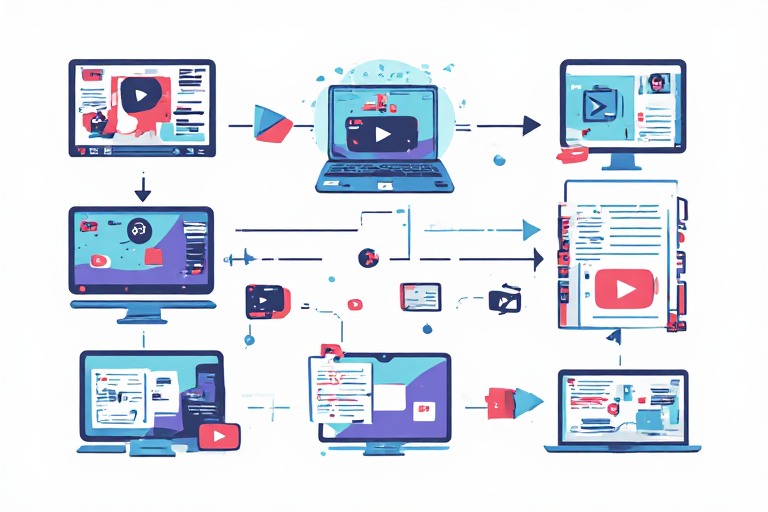
The process is usually simple.
Method 1: Use a Dedicated YouTube Summarizer
This is the easiest method.
Step 1: Find your YouTube video
Open the video you want to summarize.
Step 2: Copy the URL
Copy the YouTube video link from your browser.
Step 3: Open an AI summarizer
Use a tool such as Eightify, Glasp, Notta, or summarize.tech.
Step 4: Paste the URL
Paste the video link into the tool.
Step 5: Generate the summary
The AI will analyze the available transcript or captions and generate a summary.
Step 6: Verify important information
If the video contains technical, financial, medical, legal, or other high-stakes information, don’t rely on the AI summary alone.
How to Summarize a YouTube Video With Gemini Notebook
Gemini Notebook is especially useful when you’re researching a topic from multiple sources.
Google’s documentation says public YouTube videos with captions can be imported through their URLs, with the transcript used as the source.
The basic workflow is:
- Open Gemini Notebook.
- Create a notebook.
- Add the public YouTube URL.
- Let the source load.
- Ask for a summary.
- Ask follow-up questions.
- Check the cited source information.
For example, you could ask:
“Summarize this video in 10 key points and explain the most important idea in simple language.”
Then ask:
“What evidence does the speaker provide for the main argument?”
This is much more useful than a simple one-paragraph summary.
Best AI Prompt to Summarize a YouTube Video
If your AI tool allows custom prompts, don’t just write:
“Summarize this video.”
You’ll usually get a better result by explaining exactly what you want.
Try this prompt:
“Analyze this YouTube video carefully and create a clear, accurate summary. Start with a short overview, then list the 10 most important points discussed in the video. Include important examples, statistics, arguments, conclusions, and actionable takeaways. If timestamps are available, include them for major sections. Do not invent information that is not present in the video.”
Prompt for Students
“Turn this YouTube video into study notes. Identify the key concepts, definitions, examples, important facts, and practical takeaways. Organize the information using clear headings and bullet points. Explain difficult concepts in simple language and include timestamps where possible.”
Prompt for Content Creators
“Analyze this YouTube video from a content creator’s perspective. Identify the hook, main topic, structure, key arguments, examples, storytelling techniques, CTA, and important takeaways. Then suggest five original content ideas inspired by the topic without copying the creator’s content.”
Prompt for Business Research
“Summarize this video as a business research report. Identify the main claims, supporting evidence, statistics, market insights, risks, opportunities, recommendations, and unanswered questions. Separate facts stated in the video from opinions or predictions.”
Can AI Summarize a YouTube Video Without Watching It?
In many cases, yes—but there’s an important distinction.
Many AI YouTube summarizers work primarily from the video transcript or captions, rather than interpreting every visual element of the video.
For example, Gemini Notebook’s YouTube import uses the text transcript as the source. Google specifically notes that only the transcript is imported.
That means an AI summary may miss information that exists only visually.
For example:
- A chart shown on screen
- A product demonstration
- Text inside a video
- A visual tutorial
- Facial expressions
- On-screen code
- A diagram
So if the visual content is important, watching at least the relevant sections is still a good idea.
Are AI YouTube Summarizers Accurate?
AI summarizers are useful, but they aren’t perfect.
A summary can be affected by:
- Poor captions
- Incorrect auto-generated transcripts
- Multiple speakers
- Accents
- Technical terminology
- Missing context
- Sarcasm or humor
- Information presented visually
This is why you should treat an AI-generated summary as a time-saving starting point, not always as a replacement for the original video.
For important information, verify the original video and relevant timestamps.
Can I Summarize a YouTube Video for Free?
Yes, several AI tools provide free access or free features for YouTube summarization.
However, free plans may have limitations such as:
- Number of summaries
- Video length
- Daily usage
- Advanced AI models
- Export features
- Transcript limits
Because pricing and free limits can change, check the current plan before choosing a tool for regular use.
AI YouTube Summarizer vs Watching the Full Video
AI summarization isn’t always about replacing video watching.
A better way to think about it is:
AI summary → Decide whether the video is worth watching → Watch important sections
For example, suppose you find a two-hour programming tutorial.
Instead of immediately watching all two hours:
- Generate an AI summary.
- Read the main topics.
- Identify useful timestamps.
- Watch the sections relevant to you.
- Use the transcript or AI to clarify difficult concepts.
This can save a significant amount of time while still allowing you to learn from the original material.
What Should You Look for in an AI YouTube Summarizer?
Before choosing a tool, consider these features.
1. Transcript Support
A transcript lets you search for specific information and verify what the AI is summarizing.
2. Timestamped Summaries
Timestamps are extremely useful because they let you jump directly to the relevant part of a long video.
3. Follow-Up Questions
A good AI tool should ideally let you ask additional questions instead of giving you only one summary.
4. Multiple Languages
If you watch YouTube content in different languages, check whether the tool supports both the video’s language and the language you want for the summary.
5. Custom Prompts
Custom prompts allow you to decide whether you want:
- Bullet points
- Study notes
- Executive summary
- Action items
- Detailed analysis
- Chapter summaries
6. Privacy
Be careful when submitting private or sensitive information to third-party services.
For public YouTube videos, the risk is generally different from uploading confidential documents or private recordings, but you should still review the service’s privacy practices.
Best AI Tools for PDF Summarization in 2026: 10 Tools to Summarize PDFs Faster
Final Verdict: Which AI YouTube Summarizer Should You Use?

There is no single AI tool that is perfect for every YouTube video.
If you want fast summaries while browsing YouTube, Eightify is a strong option.
If you want research, source-based questions, and learning, Gemini Notebook is a better fit.
If you want summaries, transcripts, highlights, and notes, Glasp is worth trying.
If you need transcription and multilingual summaries, Notta is a practical choice.
And if you want custom analysis, tools such as ChatGPT and Claude become more powerful when you provide the video’s transcript and give them detailed instructions.
The biggest advantage of these tools isn’t simply that they let you skip videos. It’s that they help you decide which videos deserve your full attention.
Use AI to get the overview, identify the important sections, and then watch the original content when you need the complete context.
Frequently Asked Questions
What is the best AI tool to summarize YouTube videos?
For quick summaries, Eightify is a strong choice. For research and learning, Gemini Notebook is particularly useful. Glasp is another good option if you want summaries combined with transcripts, highlights, and notes.
What is the best free AI YouTube summarizer?
Glasp and summarize.tech offer useful free ways to summarize YouTube content, while several other tools provide limited free plans. Free limits can change, so check the current offering before relying on a tool regularly.
Can AI summarize a 2-hour YouTube video?
Yes. Many AI summarizers can handle long-form YouTube content, although limits depend on the tool and the video’s transcript or captions.
Can I summarize a YouTube video without watching it?
Yes, if the tool can access a usable transcript or captions. However, transcript-based summaries may miss important visual information shown only inside the video.
Does Gemini Notebook summarize YouTube videos?
Yes. Google’s current documentation says supported public YouTube videos with captions can be imported as sources, with the transcript used for analysis.
Does Eightify work directly on YouTube?
Yes. Eightify provides a browser extension designed to generate summaries directly in the YouTube experience, including timestamped summaries.
Can AI summarize YouTube videos in different languages?
Some tools support multiple summary and transcription languages. For example, Glasp supports multiple languages, while Notta offers a broad range of transcription and summary language options.
Should I trust an AI-generated YouTube summary?
Use it as a starting point rather than blindly trusting it. For important information, check the original video, transcript, and timestamps.