
Blogging may look simple from the outside.
You write an article, publish it, and wait for visitors.
But anyone who has actually run a blog knows that writing is only one part of the job.
Before publishing a single article, you may need to find a topic, research keywords, understand search intent, check competitors, create an outline, write the content, edit it, optimize it for SEO, design images, publish it, track rankings, and promote it.
Doing everything manually can take hours.
That’s where blogging tools become useful.
The right tools can help you find better topics, write more efficiently, optimize your articles, create attractive visuals, understand your audience, and identify why some posts perform better than others.
The good news is that you don’t need dozens of expensive subscriptions.
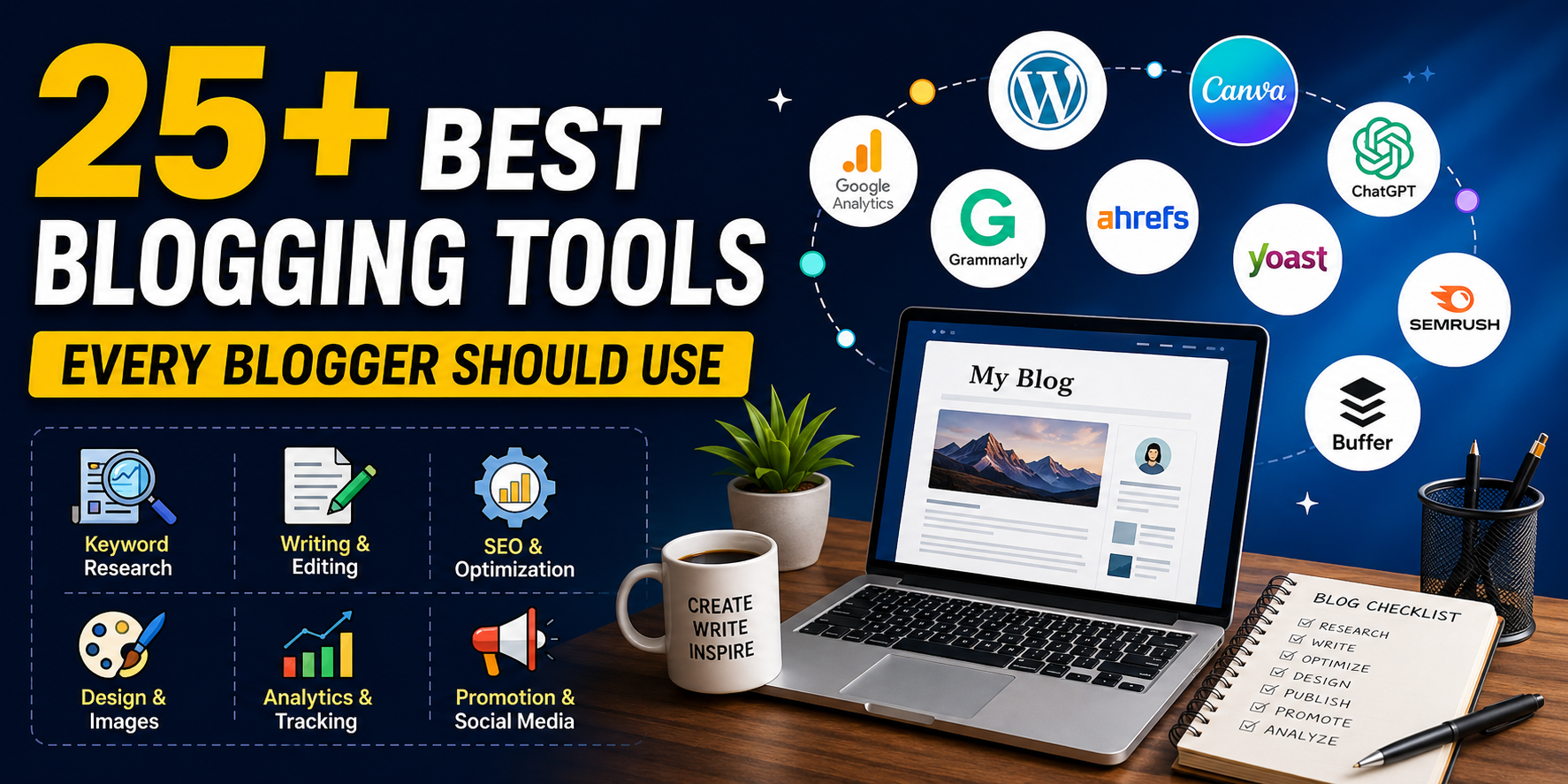
In this guide, we’ll look at 25+ of the best blogging tools for 2026, including free and paid options, and explain what each tool is actually useful for.
I’ll also show you which tools are worth using at different stages of the blogging process.
What Are Blogging Tools?
Blogging tools are software applications and online services that help you manage different parts of running a blog.
Depending on the tool, it can help with:
- Keyword research
- Topic research
- AI-assisted writing
- Grammar and editing
- SEO
- Content planning
- Image creation
- Image compression
- Website analytics
- Search performance
- Social media promotion
- Content organization
You don’t need every tool on this list.
In fact, using too many tools can make blogging more complicated.
The goal is to build a simple blogging toolkit that solves your biggest problems.
Best Blogging Tools at a Glance
| Tool | Category | Free Option | Best For |
|---|---|---|---|
| Google Trends | Research | Yes | Finding trending topics |
| Google Keyword Planner | Keyword Research | Yes | Keyword ideas |
| Ahrefs | SEO | Limited | Advanced SEO |
| Semrush | SEO | Limited | SEO & competitor research |
| Ubersuggest | SEO | Limited | Beginners |
| ChatGPT | AI Writing | Yes | Ideas & drafts |
| Claude | AI Writing | Yes | Long-form writing |
| Gemini | AI | Yes | Research & brainstorming |
| Grammarly | Editing | Yes | Grammar & clarity |
| QuillBot | Writing | Yes | Paraphrasing |
| Google Search Console | SEO | Yes | Google search performance |
| Google Analytics 4 | Analytics | Yes | Traffic analysis |
| Bing Webmaster Tools | SEO | Yes | Bing SEO |
| Rank Math | WordPress SEO | Yes | On-page SEO |
| Yoast SEO | WordPress SEO | Yes | SEO optimization |
| Canva | Design | Yes | Blog graphics |
| Adobe Express | Design | Yes | Visual content |
| TinyPNG | Image Optimization | Yes | Image compression |
| Squoosh | Image Optimization | Yes | Image compression |
| Microsoft Clarity | Analytics | Yes | User behavior |
| Notion | Planning | Yes | Content planning |
| Trello | Planning | Yes | Editorial calendars |
| Google Sheets | Planning | Yes | Keyword tracking |
| Buffer | Promotion | Yes | Social scheduling |
| AnswerThePublic | Research | Limited | Content ideas |
1. Google Trends
Best for: Finding trending topics
Google Trends is one of the most useful free tools for bloggers.
Instead of guessing what people are interested in, you can use Trends to see how search interest changes over time.
For example, if you’re writing about technology, you can compare searches for:
- AI tools
- ChatGPT
- AI agents
- WordPress
- Android apps
You can also filter results by:
- Country
- Time period
- Category
- Search type
Why bloggers should use it
Google Trends is especially useful for finding seasonal and emerging topics.
Suppose you run a technology blog.
You notice that searches for a particular AI tool suddenly start increasing.
That’s an opportunity to publish content while interest is growing.
Best use case
Use Google Trends before writing your article.
Find a topic with growing interest, then use keyword research tools to investigate whether it’s worth targeting.
Verdict: Essential free tool for bloggers.
2. Google Keyword Planner
Best for: Keyword research
Google Keyword Planner was originally designed for advertisers, but bloggers can also use it for keyword research.
It can help you discover related search terms and understand potential search demand.
For example, instead of targeting:
AI
you might discover more specific terms such as:
best AI tools for students
or:
AI tools for bloggers
Long-tail keywords are often easier for newer websites to target.
How bloggers can use it
Start with a broad topic.
For example:
“blogging tools”
Then look at related keyword ideas.
Create a list of promising phrases and evaluate:
- Search intent
- Competition
- Relevance
- Commercial potential
Don’t choose keywords based only on search volume.
A keyword with 500 monthly searches can be more valuable than one with 50,000 searches if it has stronger intent and lower competition.
Verdict: Excellent free starting point for keyword research.
3. Ahrefs
Best for: Advanced SEO
Ahrefs is one of the most popular professional SEO platforms.
It provides tools for:
- Keyword research
- Competitor analysis
- Backlink research
- Rank tracking
- Site audits
- Content research
One of its biggest strengths is backlink analysis.
You can investigate which websites are linking to your competitors and discover potential content opportunities.
Who should use it?
Ahrefs is most useful for:
- Professional bloggers
- SEO agencies
- Affiliate marketers
- Established websites
Beginners may find it expensive or overwhelming.
Verdict: Excellent for serious SEO, but beginners can start with free alternatives.
4. Semrush
Best for: Complete SEO and competitor research
Semrush is another powerful all-in-one SEO platform.
It can help you research:
- Keywords
- Competitors
- Backlinks
- Organic rankings
- Content opportunities
- Technical SEO
One particularly useful feature is competitor research.
You can enter a competing website and investigate the keywords bringing it organic traffic.
That information can help you identify content gaps.
Best for
Semrush is ideal if you’re treating your blog like a serious business rather than a hobby.
Verdict: One of the strongest all-in-one SEO platforms.
5. Ubersuggest
Best for: Beginner-friendly SEO research
Ubersuggest is designed to make SEO research easier for beginners.
It provides:
- Keyword ideas
- SEO difficulty
- Content ideas
- Backlink information
- Competitor research
It isn’t as comprehensive as some premium SEO platforms, but it’s easier to understand.
Why beginners may prefer it
If you’re just starting SEO, jumping directly into a huge professional platform can be confusing.
Ubersuggest provides a simpler introduction.
Verdict: Good beginner SEO tool.
6. ChatGPT
Best for: Brainstorming, outlines and AI-assisted writing
AI has changed the blogging workflow dramatically.
ChatGPT can help bloggers with:
- Topic ideas
- Article outlines
- FAQs
- Headlines
- Content briefs
- Meta descriptions
- Social media posts
- Code snippets
- Content analysis
However, there’s an important distinction:
AI should assist your writing—not replace your expertise.
A generic AI-generated article can easily become repetitive and lack first-hand experience.
A better workflow is:
Research → AI assistance → Human expertise → Editing → Fact-checking → Publishing
Example
Instead of asking:
Write an article about SEO.
Give the AI a detailed content brief containing:
- Target audience
- Search intent
- Primary keyword
- Competitor gaps
- Your personal experience
- Required sections
The resulting content will usually be much more useful.
Verdict: Extremely useful when used as an assistant.
7. Claude
Best for: Long-form writing and content analysis
Claude is another AI assistant that bloggers can use for research, writing and editing.
It can help with:
- Long articles
- Content restructuring
- Summarization
- Brainstorming
- Editing
- Writing assistance
One useful workflow is to provide an existing article and ask the AI to identify:
- Repetitive sections
- Missing information
- Weak explanations
- Opportunities to improve readability
Verdict: Strong AI assistant for long-form content workflows.
8. Google Gemini
Best for: Brainstorming and Google ecosystem workflows
Gemini can help bloggers with:
- Topic research
- Brainstorming
- Drafting
- Summaries
- Content ideas
- General productivity
If you’re already heavily invested in Google’s ecosystem, Gemini can fit naturally into your workflow.
Verdict: Useful general-purpose AI assistant.
9. Grammarly
Best for: Grammar and readability
Even experienced writers make grammar mistakes.
Grammarly can help identify:
- Grammar errors
- Spelling mistakes
- Awkward sentences
- Punctuation problems
- Tone issues
For bloggers writing in English, an editing tool can be particularly useful.
However, don’t blindly accept every suggestion.
Sometimes an intentional writing style is better than technically perfect wording.
Verdict: One of the best editing tools for bloggers.
10. QuillBot
Best for: Rewriting and paraphrasing
QuillBot provides tools for:
- Paraphrasing
- Summarizing
- Grammar checking
- Rewriting
It can be useful when a sentence feels awkward and you want alternative ways to express the same idea.
Use it for improving clarity rather than simply spinning existing articles.
Verdict: Useful supporting writing tool.
11. Google Search Console
Best for: Measuring Google Search performance
Google Search Console should be installed on every serious blog.
It tells you:
- Search impressions
- Clicks
- CTR
- Average position
- Search queries
- Indexed pages
One of the best strategies is finding pages with:
High impressions + low CTR
These pages already have search visibility.
Improving their titles and descriptions may increase clicks without creating a completely new article.
Verdict: Essential and completely free.
12. Google Analytics 4
Best for: Understanding visitors
Google Analytics tells you what happens after people reach your website.
You can analyze:
- Traffic sources
- Users
- Engagement
- Landing pages
- Events
- Conversions
- Device usage
For example, if you discover that most visitors come from mobile devices, you should prioritize mobile readability and page speed.
Verdict: Essential analytics platform.
13. Bing Webmaster Tools
Best for: Bing SEO
Google isn’t the only search engine.
Bing Webmaster Tools provides:
- Search performance data
- Keyword information
- Indexing information
- SEO reports
- Backlink data
- Crawl insights
It is free and takes relatively little effort to set up.
Even if Bing produces less traffic than Google for your website, there’s no reason to ignore an additional organic traffic source.
Verdict: Worth installing.
14. Rank Math
Best for: WordPress SEO
Rank Math is a popular WordPress SEO plugin.
It helps bloggers optimize:
- SEO titles
- Meta descriptions
- Focus keywords
- Schema
- Sitemaps
- Social metadata
It can also provide SEO recommendations directly inside WordPress.
Remember, an SEO plugin’s score isn’t the same thing as Google rankings.
Don’t chase a perfect plugin score at the expense of useful content.
Verdict: Excellent WordPress SEO assistant.
15. Yoast SEO
Best for: WordPress SEO beginners
Yoast SEO is another widely used WordPress SEO plugin.
It provides tools for:
- Metadata
- XML sitemaps
- Readability
- Schema
- Canonical URLs
Its interface is beginner-friendly and makes basic SEO easier to manage.
Verdict: Reliable choice for WordPress websites.
16. Canva
Best for: Blog images and graphics
A great article needs good visuals.
Canva makes it easy to create:
- Featured images
- Infographics
- Pinterest graphics
- Social posts
- Charts
- Presentations
You don’t need professional graphic design skills.
Blogging tip
Don’t simply use the same generic stock image everyone else uses.
Create original graphics that explain something from your article.
For example, an article about SEO tools could include a custom comparison infographic.
Verdict: One of the most useful design tools for bloggers.
17. Adobe Express
Best for: Quick visual content
Adobe Express is another option for creating:
- Social graphics
- Blog images
- Posters
- Short videos
- Marketing content
It’s particularly useful if you already use Adobe’s ecosystem.
Verdict: Strong Canva alternative.
18. TinyPNG
Best for: Compressing images
Large images can slow down your website.
TinyPNG compresses image files while attempting to preserve visual quality.
Before uploading a large image to WordPress, compress it first.
This can help reduce:
- Page size
- Loading time
- Bandwidth usage
Verdict: Simple but extremely useful.
19. Squoosh
Best for: Advanced image compression
Squoosh is a browser-based image compression tool.
It provides more control over:
- Image quality
- Dimensions
- File format
- Compression
It’s particularly useful if you want to understand exactly how much you’re reducing an image.
Verdict: Great free image optimization tool.
20. Microsoft Clarity
Best for: Understanding user behavior
Traffic numbers don’t tell the whole story.
Microsoft Clarity helps you understand how visitors actually interact with your pages.
Useful features include:
- Heatmaps
- Session recordings
- Scroll behavior
- Click analysis
For example, if readers consistently stop scrolling halfway through an article, you may need to improve the content structure or introduction.
Verdict: Excellent free companion to Google Analytics.
21. Notion
Best for: Content planning
Once you publish regularly, organization becomes important.
Notion can help you create a content management system containing:
- Blog ideas
- Keywords
- Article status
- Publishing dates
- Content briefs
- Internal linking opportunities
You can create stages such as:
Idea → Research → Writing → Editing → SEO → Published → Update
Verdict: Excellent for organized bloggers.
22. Trello
Best for: Editorial calendars
Trello uses boards and cards to organize projects.
A simple blogging board could contain:
Ideas
Articles you might write.
Research
Topics currently being researched.
Writing
Articles currently being drafted.
Editing
Articles waiting for review.
Published
Completed content.
This visual workflow makes it easy to understand your content pipeline.
Verdict: Great for bloggers who prefer visual organization.
23. Google Sheets
Best for: Keyword and content tracking
Don’t underestimate spreadsheets.
A simple Google Sheet can track:
- Keyword
- Search intent
- Article URL
- Publishing date
- Ranking
- Impressions
- Clicks
- CTR
- Content update date
This is particularly useful when your website grows to dozens or hundreds of articles.
Verdict: Simple, flexible and free.
24. Buffer
Best for: Social media scheduling
Publishing an article is only the beginning.
You can use Buffer to schedule social posts across supported platforms.
Instead of manually posting every day, prepare your content in advance.
For example:
Monday: New article
Wednesday: Interesting statistic from the article
Friday: Question related to the article
This gives your content multiple opportunities to reach readers.
Verdict: Useful for bloggers who actively promote content through social media.
25. AnswerThePublic
Best for: Finding content ideas
Sometimes the hardest part of blogging isn’t writing.
It’s deciding what to write about.
AnswerThePublic helps uncover questions people search around a topic.
For example, around the topic “blogging,” you might discover questions related to:
- How to start blogging
- How blogging works
- How bloggers make money
- How long blogging takes
- What tools bloggers need
These questions can become:
- Blog posts
- FAQs
- Subheadings
- Social content
Verdict: Useful for expanding your content calendar.
Which Blogging Tools Are Actually Necessary?
This is where beginners often make a mistake.
They see a list of 25 tools and think:
“I need to subscribe to all of them.”
You don’t.
A beginner can build an excellent blogging workflow using mostly free tools.
Here’s a simple setup.
For Research
Google Trends + Google Keyword Planner
Use these to identify topics and keywords.
For Writing
ChatGPT or Claude + Grammarly
Use AI for brainstorming and assistance, then edit everything yourself.
For SEO
Google Search Console + Rank Math
Use Search Console for actual search performance and Rank Math for WordPress optimization.
For Analytics
Google Analytics + Microsoft Clarity
Use Analytics for traffic and Clarity for user behavior.
For Images
Canva + TinyPNG
Create original visuals and compress them before publishing.
For Planning
Notion or Google Sheets
Track your content ideas, keywords and publishing schedule.
Best Free Blogging Tools for Beginners
If you don’t have a budget, start with these:
- Google Trends
- Google Keyword Planner
- Google Search Console
- Google Analytics
- Bing Webmaster Tools
- ChatGPT
- Grammarly
- Canva
- TinyPNG
- Google Sheets
- Microsoft Clarity
You can build a surprisingly capable blogging operation without spending much money.
Best Paid Blogging Tools for Advanced Bloggers
Once your blog starts generating revenue, consider investing in premium tools.
SEO
Ahrefs or Semrush
AI
Premium AI writing assistants
Design
Canva Pro or Adobe Express premium features
Productivity
Notion paid plans or other collaboration platforms
But don’t subscribe simply because another blogger recommends a tool.
Ask:
“Will this tool save me time, increase traffic, or help me make more money?”
If the answer is no, you probably don’t need it.
A Practical Blogging Workflow Using These Tools
Here’s how I would structure a modern blogging workflow.
Step 1: Find a Topic
Start with Google Trends.
Look for:
- Growing interest
- Seasonal opportunities
- New developments
Step 2: Research Keywords
Use Google Keyword Planner or another keyword research platform.
Identify:
- Primary keyword
- Secondary keywords
- Related questions
- Search intent
Step 3: Analyze Competitors
Use tools such as Ahrefs, Semrush or Ubersuggest.
Look at:
- Ranking pages
- Topics covered
- Backlinks
- Content gaps
Don’t copy competitors.
Find something they haven’t explained well.
Step 4: Create Your Outline
Use your keyword research and competitor analysis to build the structure.
Include:
- Introduction
- Main sections
- Examples
- Tables
- FAQs
- Conclusion
Step 5: Write
Use ChatGPT, Claude or Gemini for assistance if useful.
But add:
- Personal experience
- Original examples
- Data
- Screenshots
- Opinions
- Expert explanations
That’s what makes content genuinely valuable.
Step 6: Edit
Run the article through Grammarly or manually edit it.
Check:
- Grammar
- Repetition
- Readability
- Accuracy
- Formatting
Step 7: Optimize for SEO
Use Rank Math or Yoast.
Optimize:
- Title
- URL
- Meta description
- Headings
- Internal links
- Images
- Schema
Don’t over-optimize.
Write for humans first.
Step 8: Create Images
Use Canva or another design tool.
Create:
- Featured image
- Supporting graphics
- Infographics
Compress the final images using TinyPNG or Squoosh.
Step 9: Publish
After publishing:
- Check the page on mobile
- Test links
- Verify formatting
- Add internal links
- Submit the URL through Search Console
Step 10: Measure Results
After the article has been live for some time, check:
Search Console
- Impressions
- Clicks
- CTR
- Rankings
Analytics
- Users
- Engagement
- Traffic sources
Clarity
- Scroll depth
- Clicks
- User behavior
Then update the article based on what you learn.
How Many Blogging Tools Do You Really Need?
You don’t need 25.
For most beginners, 8–10 carefully selected tools are enough.
A simple stack could be:
| Task | Recommended Tool |
|---|---|
| Topic research | Google Trends |
| Keywords | Google Keyword Planner |
| AI assistance | ChatGPT |
| Editing | Grammarly |
| SEO | Search Console |
| WordPress SEO | Rank Math |
| Analytics | Google Analytics |
| User behavior | Clarity |
| Images | Canva |
| Planning | Google Sheets |
Start here.
Add premium tools only when your blog actually needs them.
Final Thoughts
The best blogging tools aren’t necessarily the most expensive ones.
They’re the tools that solve a specific problem in your workflow.
Google Trends can help you discover a topic.
Keyword research tools can help you understand search demand.
AI assistants can speed up brainstorming and drafting.
SEO platforms can help you find opportunities.
Canva can improve your visuals.
Analytics platforms can tell you what’s working.
And Search Console can reveal opportunities you might otherwise miss.
But remember one important thing:
Tools don’t build successful blogs. Bloggers do.
You can have access to the most expensive SEO software in the world and still fail if your content doesn’t provide value.
Use tools to make your work faster and smarter—not to replace research, expertise, originality, and human judgment.
If you’re just starting, don’t overwhelm yourself.
Pick a small set of tools, learn them properly, publish consistently, analyze your results, and improve your strategy over time.
That’s a much better blogging workflow than constantly jumping from one shiny tool to another.
Should I Quit Blogging If My Hosting and Domain Are Expiring? My Honest Advice After Earning $0
Frequently Asked Questions
What are the best blogging tools for beginners?
Google Trends, Google Keyword Planner, Google Search Console, Google Analytics, Canva, Grammarly and Google Sheets are excellent starting points.
What is the best free blogging tool?
There isn’t one single best tool. Google Search Console is essential for SEO, Google Analytics is excellent for analytics, and Google Trends is extremely useful for topic research.
Do bloggers need paid SEO tools?
Not necessarily. Beginners can accomplish a lot with free tools. Paid platforms become more useful when your website grows and you need advanced competitor, keyword and backlink research.
Which AI tool is best for bloggers?
ChatGPT, Claude and Gemini can all be useful. The best choice depends on your workflow and the type of content you’re creating.
Are AI tools enough to write a successful blog?
No. AI can help with research, brainstorming and drafting, but successful content still needs human editing, original insights, accurate information and useful examples.
How many tools should a blogger use?
Start with around 8–10 essential tools. Add more only when they solve a specific problem.
What tools help with blog SEO?
Google Search Console, Google Keyword Planner, Ahrefs, Semrush, Ubersuggest, Rank Math and Yoast SEO can all help with different aspects of SEO.
Are free blogging tools enough?
Yes, especially when you’re starting. You can research topics, write content, optimize SEO, create images, track traffic and analyze visitors using mostly free tools.